
 Try it free
Plan your bills. Live your life.
Know exactly how much to put in your bills account each payday.
Keep one checking account just for bills. Set and Live works out how much to deposit each payday to cover the bills you've entered for the next 12 months, including yearly ones.
No card needed. No bank login. No subscription.
How it works
Bill money in one account, spending money in another. Set and Live does the math.
Add your bills and payday
Rent, utilities, phone, insurance, subscriptions, and the big ones like car registration.
Get your one number
See how much to put in each payday, plus how much to start with, so every bill is covered on time.
See your whole year
A calendar shows your balance every day for the next 12 months, and warns you early if anything comes up short.
See it in action
Calm screens and plain words. Made for beginners, useful for experienced budgeters too.
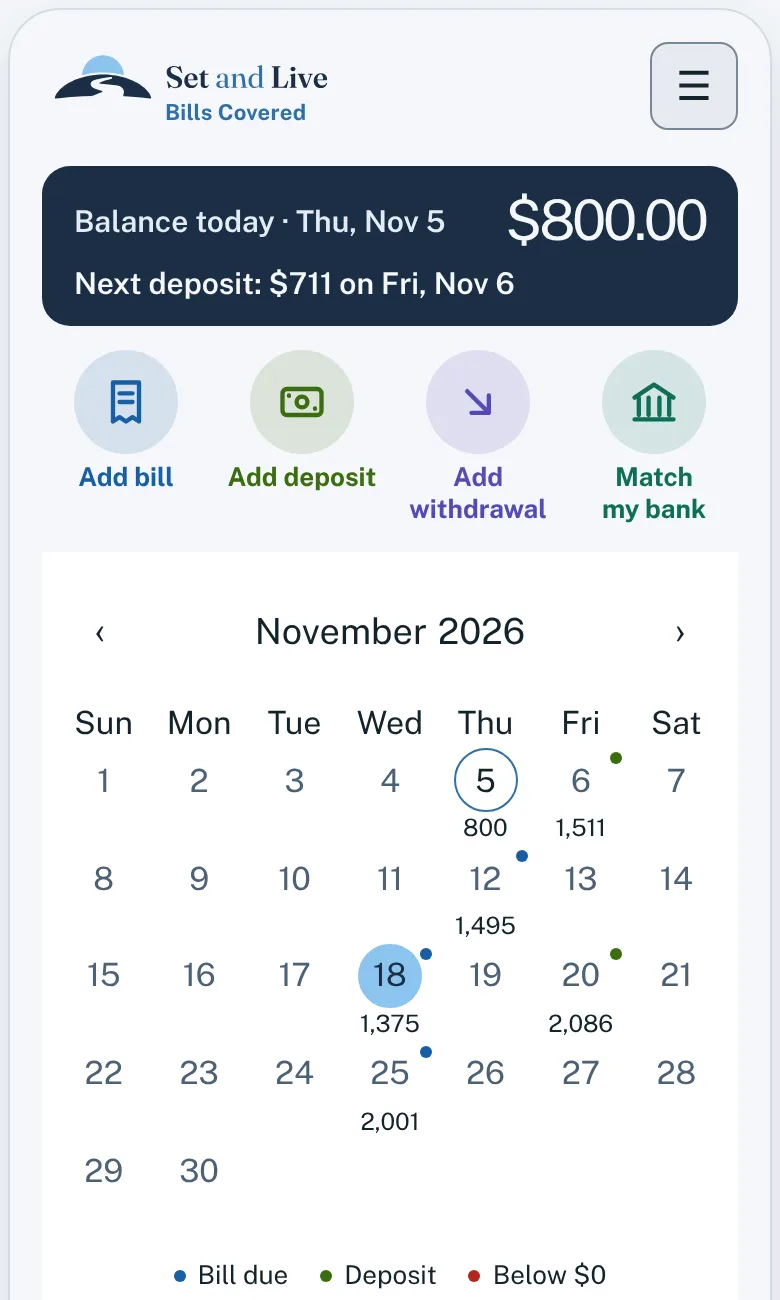
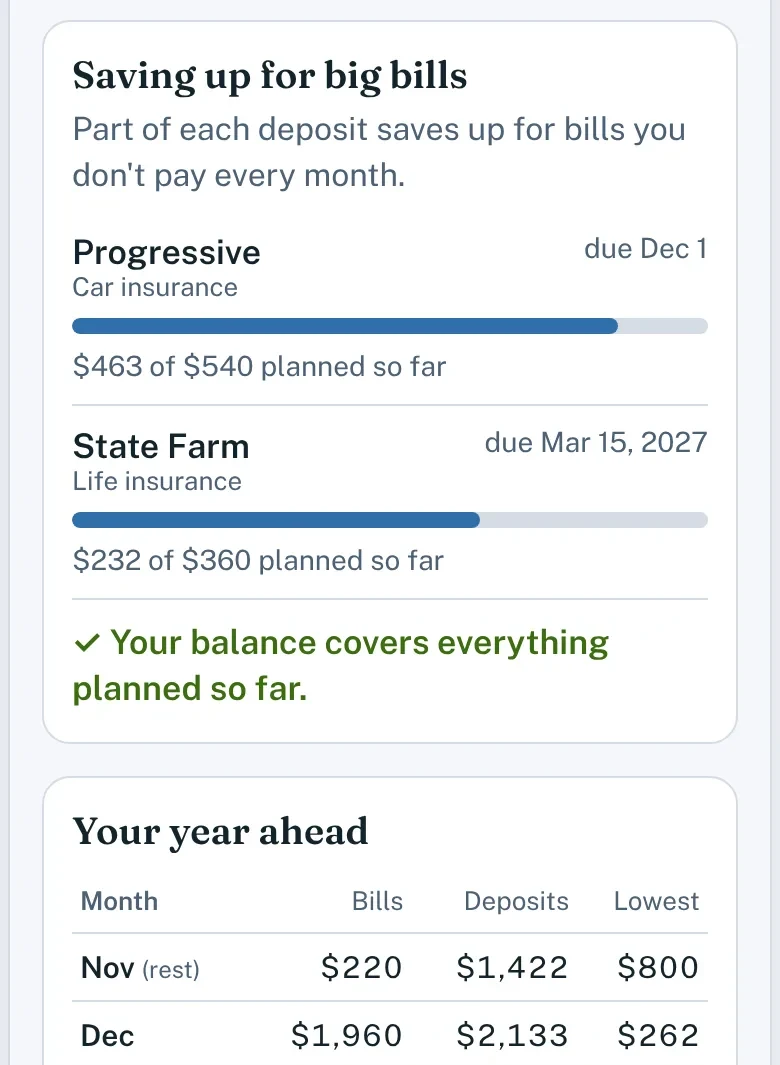
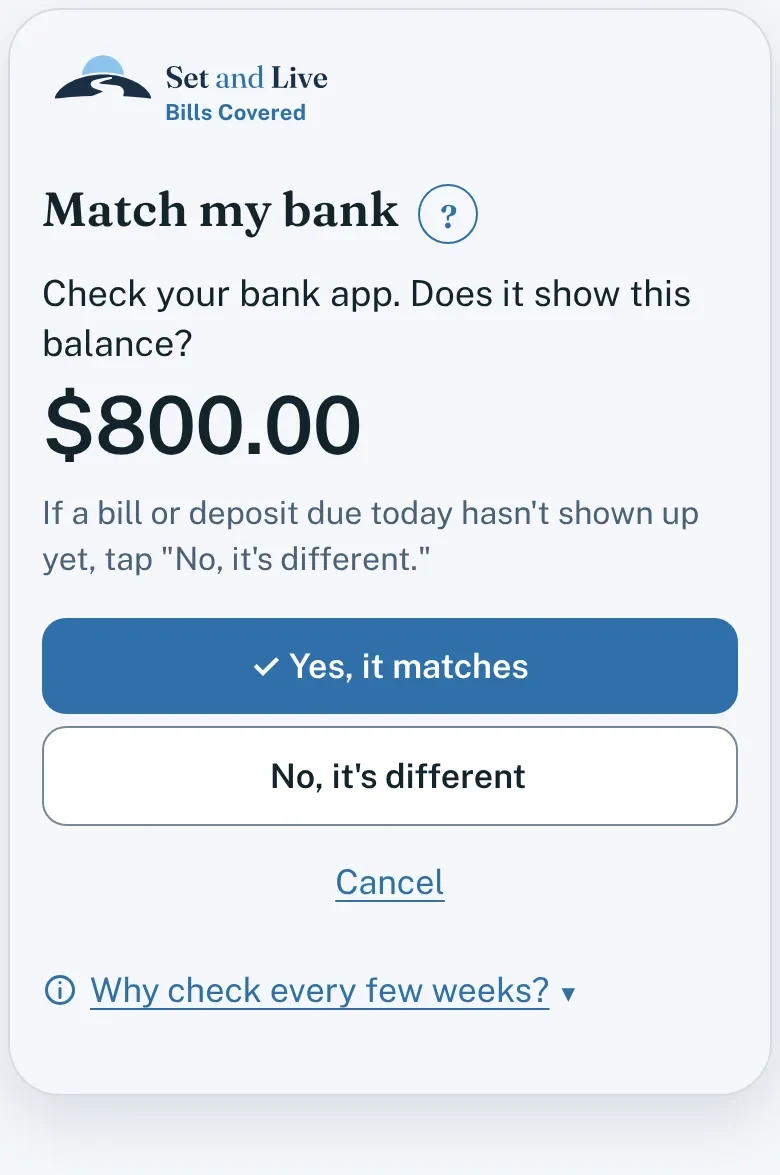
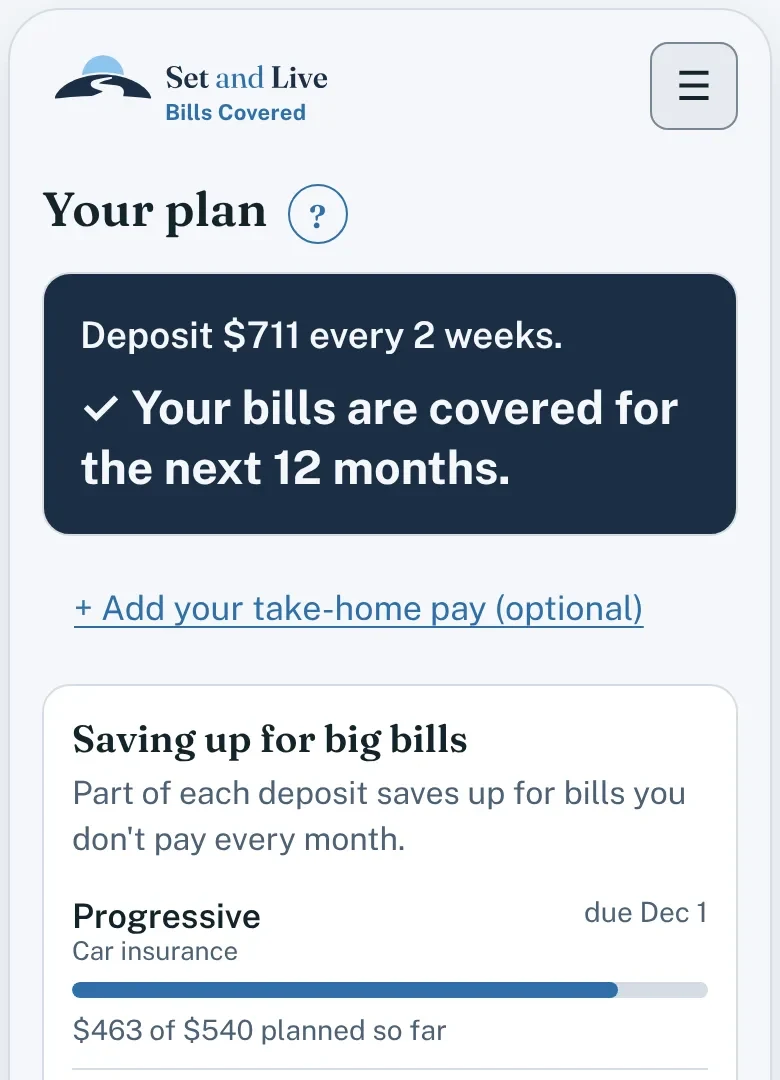
Screens show an example plan.
Everything you need for your bills
One payday amount
The same deposit every payday, worked out from a full year of bills.
The starting balance you need
Some bills are due before your deposits have built up. This tells you how much to start with.
Saving up for big bills
Set aside a little each payday toward yearly and twice-a-year bills, so you're ready when they're due.
Early warnings
Red means you'd come up short, with how much to add and by when.
Match my bank
Compare your plan with your bank balance. If they don't match, it helps you find out why.
Help built in
Short lessons, answers to common questions, and a list of bank and bill words.
Private by design
- No bank login, ever
- Your bills stay on your device
- No ads, no tracking
- Back up your plan to a file anytime
Is it for you?
- You're paid weekly, every 2 weeks, twice a month, or monthly
- You want your bills planned without tracking every purchase
- Yearly bills keep catching you off guard
- Not for tracking spending or groceries
- Doesn't connect to your bank or pay bills for you
A few things to know
You stay in control
Set and Live doesn't connect to your bank, move money, or pay bills. You handle those as you normally do.
You enter your bills
Add your amounts and due dates, and update them when things change. Your plan is worked out from what you enter.
Your plan stays on your device
Nothing is stored online. Save a backup now and then, especially before changing phones.
Try it before you buy
Every feature is free for 30 days. No card needed.
Simple pricing
$14.99
One time. No subscription.
- Free for 30 days, no card needed
- After the trial, you can still view your plan and save a backup
- Every feature included
- Full refund within 14 days
- Use your code on up to 5 devices
Buying opens soon. Start your free trial today.
Get it on your phone
Set and Live runs in your phone's browser and installs like an app. No app store needed.
Android
- Open setandlive.com/app in Chrome.
- Tap the ⋮ menu.
- Tap Add to Home screen or Install app.
Coming soon to Google Play.
iPhone
- Open setandlive.com/app in Safari.
- Tap the Share button.
- Tap Add to Home Screen.
Add it to your Home Screen before you enter your bills. Safari can clear website data you haven't used in a while, and plans started in Safari don't carry over to the Home Screen icon. Deleting the icon deletes your plan too, so save a backup now and then.
On a computer, open setandlive.com/app in any browser.
Questions
Does it connect to my bank?
No. You type in your bills and pay schedule. There's no bank login, so your bank details are never shared.
Does it move money or pay my bills?
No. You set up your deposits and payments with your employer, bank, or each company. Set and Live tells you how much to deposit and when each bill is due.
Do I need a separate bank account?
It works best with one, so bill money stays apart from everyday spending. Many banks offer a second checking account; ask yours about any fees.
Do I need an account to try it?
No. No sign-up and no email. Just open it and start.
What happens when the free trial ends?
You can still see your plan and save a backup. Buy once for $14.99 to keep adding and changing things.
Where do I find my unlock code?
In your purchase email from Gumroad, and on the page that opens after you buy. Enter it in the app under Menu, then Buy Set and Live.
Does my plan sync between devices?
No. Each device keeps its own plan. To move it, save a backup and restore it on the other device. Your code works on up to 5 devices.
How do I save a backup?
In the app, tap Menu, then Backup and restore, then Save a backup. Keep the file somewhere safe, like your email or cloud storage. On another device, use Restore backup.
What if I get a new phone or lose mine?
Save a backup now and then, and restore it on your new phone. Your plan is only stored on your device, so without a backup it can't be recovered.
Does it work without internet?
Yes. Once you've opened it, it works offline. You only need a connection to unlock it with your code.
What if a bill changes, like electric?
Use a good guess based on recent bills. When the real amount is different, Match my bank lets you fix it.
Can I get a refund?
Yes. Email us within 14 days of buying for a full refund, no questions asked. After a refund, the unlock code stops working.
No card needed. No bank login. No subscription.